You can wear a leather bracelet while typing if it stays clear of your laptop edge, mouse pad and the part of your wrist you rest on the desk. Check it in your usual working position before committing to an all-day outfit. If a buckle presses into your wrist or a chain drags across the keyboard, take the bracelet off for desk work. A larger size will not necessarily solve a hardware-placement problem.
Start with the underside of your wrist
A bracelet can look right when you stand in front of a mirror and feel awkward once you sit down. Put your hands where you normally type. Look at the part of the band between your wrist and the desk: a broad buckle or raised ring needs more clearance than a flat section of leather.
Type a few lines, then reach for the mouse or trackpad. Notice whether you keep lifting your arm to avoid the bracelet, turning it back into place, or moving it away from the laptop edge. Those are reasons to choose a different bracelet for that part of the day, rather than rearrange your working position around the jewelry.
Check the chain as well as the band
A close-fitting band can still have loose hardware. Look at where any chain or charm hangs when you hold a mug, reach across the desk or put your hand on the mouse. If you have to gather the chain in your palm to keep it out of the way, leave that piece for after work.
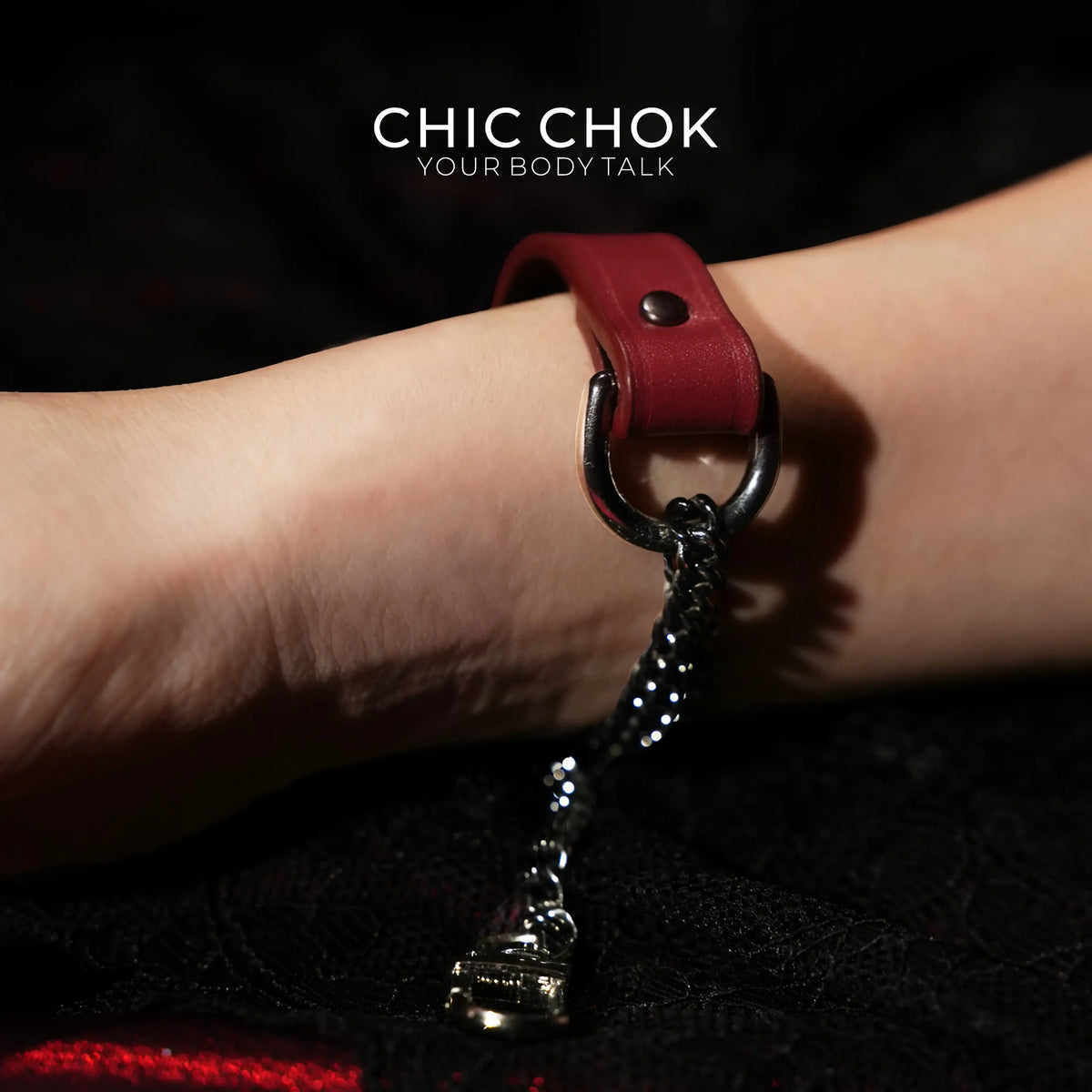
CHIC CHOK's Breathless Leather Handchain Bracelet is a useful example of what to inspect before ordering. The catalog detail shows a red leather band with a large ring and hanging chain hardware. That gives you more to consider than wrist circumference alone. The photo does not establish how the bracelet will sit beside your keyboard, and this is not a claim of tested desk compatibility.

Looser is not automatically better
Do not buy an oversized bracelet just to move a buckle away from the desk. First check the seller's sizing instructions and ask where the fastening sits when you wear the selected size. More room may let the hardware rotate into the very place you wanted to keep clear.
Before ordering, ask for the band width and a view of the fastening. Tell the store that you plan to wear the piece while using a laptop. Ask how the listed measurement relates to the finished bracelet; do not assume that the length of the leather alone includes every ring, clasp or chain. A product name such as "handchain" does not answer those fit questions.
Choose for the hand that does the work
If you spend much of the day using a mouse with your right hand, try a bracelet on the left wrist first. If you type with both hands, check both positions; switching wrists may not change contact with the laptop. Use your own setup, including a separate keyboard or wrist rest if that is what you normally use.
For a white shirt and dark jeans, try one leather bracelet beside an exposed cuff, with the sleeve ending above the band. You can keep the rest of the outfit the same when you remove the bracelet to type. A watch on the other wrist adds another fit decision, so check it separately rather than treating the two accessories as one stack.
Keep an after-work option
You do not need to wear every accessory through every task. For an office-to-dinner outfit, keep the bracelet in a small pouch while you work and put it on when you leave. Before buying a detailed leather-and-chain piece, decide whether you want it for desk hours or for the part of your day away from the keyboard. That distinction is more useful than a general promise that a bracelet is suitable for everyday wear.
Related CHIC CHOK Guides
For the space beside a shirt cuff, read How to Wear a Bracelet With Long Sleeves. If you also wear a watch, compare same-wrist and opposite-wrist placement.
Product information
The product example and image come from CHIC CHOK's second-store catalog, checked October 22, 2026. The placement suggestions are editorial guidance, not medical or ergonomic advice, a scratch-resistance claim, or a guarantee of comfort with your equipment.